Ringtones & Wallpapers - Mob24
- 4.5
- Rating
- 1.00M
- Installs
- Free
- Price

 Analysis by App-foxy
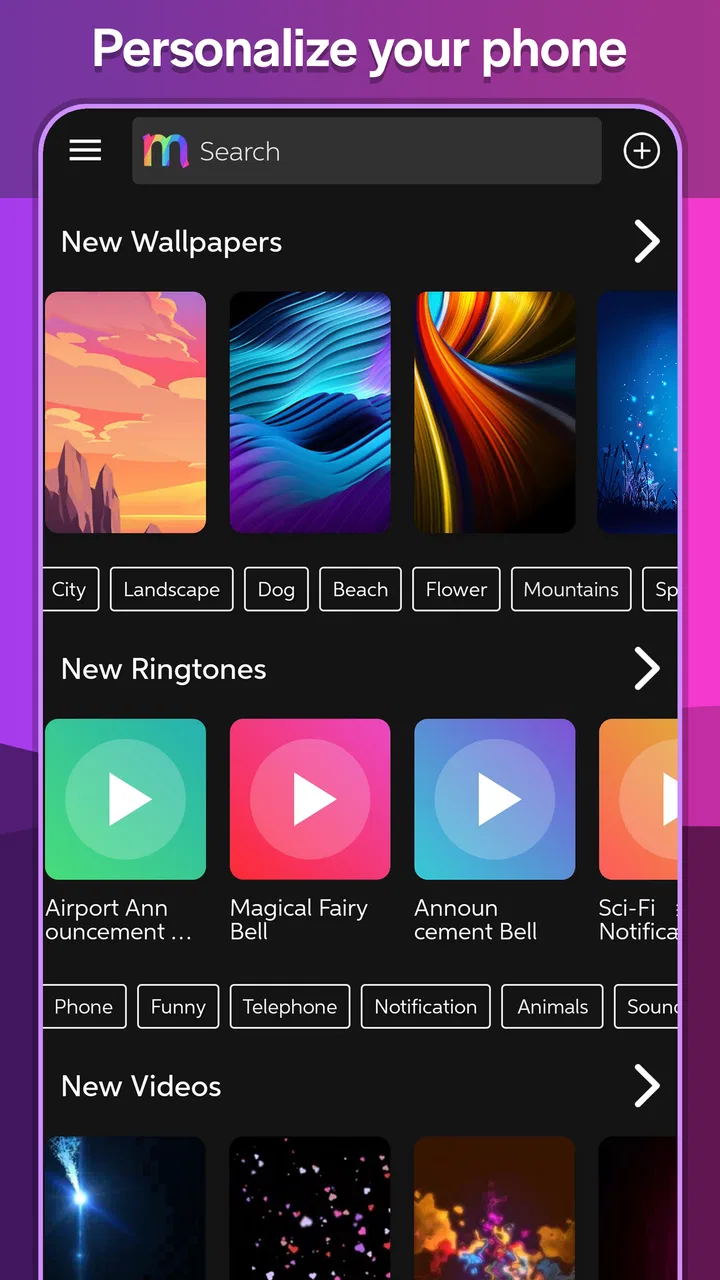
I usually notice a personalization app when I want my phone to feel less anonymous, not when I am looking for a complete system makeover. Ringtones & Wallpapers - Mob24 fits that starting point well: it brings ringtone choices, wallpapers, live wallpapers, and a ringtone-making tool into one Android app. I tried to judge it as a practical everyday utility rather than as a huge customization platform, because that is where its value is easiest to understand.
The app is free, belongs to the personalization category, and comes from Mobiles24. Its audience is marked Teen, while the current version is 3.1.0 and it works on Android 5.0 or later. Those details make it accessible to a wide range of Android phones, including older devices that may not run newer customization tools comfortably. The important question, though, is not whether it offers many ways to change a phone. It is whether the path from finding something interesting to actually using it feels simple.
From an ordinary phone to a more personal setup
My starting condition was familiar: the default ringtone was easy to ignore, the lock screen felt interchangeable with every other Android phone, and I wanted a small change without installing separate apps for audio and backgrounds. That is where this app makes a sensible first impression. Instead of sending me immediately into system settings, it gives the personalization task a single place to begin.
You May Also Like

 Blood Strike: 2.5 Anniversary
Blood Strike’s Loadouts Turn Every Drop Into a Tactical Gamble
A close look at Blood Strike’s custom loadouts: how fast access to signature weapons reshapes its battle royale rhythm, rewards preparation, and narrows the gap between fights.

 Pandora - Music & Podcasts
Pandora’s Music Is Easy to Start, but Harder to Recover
Pandora’s strength is its low-effort path from a seed to a station. Its weak spot is how much confidence it asks you to place in connection, setup, and quiet recovery.

 8 Ball Pool
 Is Built on Rivalries, Rematches, and Routine
A close look at the rivalries, rematches, shared routines, and unanswered safety questions that turn a quick pool match into a persistent mobile community.

 Samsung Music
’s Quiet Strength Is Playing What You Already Own
Its reach comes less from spectacle than from dependable access to a personal library. That simplicity is both the app’s strongest retention engine and its ceiling.

 AccuWeather: Weather Radar
AccuWeather Review: A Quick, Clear Forecast for Everyday Decisions
For everyday plans, the best forecast is the one you can understand quickly. AccuWeather makes rain timing, radar, and local conditions easy to act on, with a few trade-offs.

 Hill Climb Racing
Why Hill Climb Racing Still Turns Crashes Into One More Run
A tiny car, a bumpy hill and one more upgrade: Hill Climb Racing keeps resurfacing because its simple chaos makes every near-miss feel personal.
More From Our News Desk



The main appeal is the combination of content and creation. You can browse Android ringtones, look for a wallpaper, consider a live wallpaper, or use the ringtone maker when the available sounds do not match what you want. That combination matters because choosing a sound and choosing an image are related decisions, but they are not the same task. A person may want a calm background and a noticeable call tone, while another may prefer a matching visual and audio theme.
I also like that the app does not force one style of personalization. A ringtone is useful for recognition, especially when several people in a room use similar phones. A static wallpaper can make the home screen easier to identify at a glance. A live wallpaper is more expressive, but it also asks for more attention from the phone and from the person using it. Having these options together lets you stop at the level that feels worthwhile.
The store listing describes the app as free, and that is an important part of the starting decision. I can explore the idea without first deciding whether a paid customization package is worth it. The trade-off is that free content libraries often require more patience from the user: the best result may come from browsing carefully rather than accepting the first item that looks acceptable.
How I would begin a customization session
I would start with one clear goal instead of trying to redesign everything at once. For example, if my phone is difficult to recognize when it rings, I would begin with the ringtone area. If the phone feels visually dull, I would start with wallpapers. This sounds obvious, but it prevents the common problem of collecting several possibilities without actually applying any of them.
For a ringtone, I would listen with the phone at a normal volume and then imagine it in a noisy place. A sound that seems pleasant through a quiet room may be too soft or too subtle for a busy street. The ringtone maker is particularly useful here because it gives the app a practical role beyond browsing. Instead of settling for a complete track or a sound that does not begin at the right moment, I can work toward a shorter, more recognizable section.
That tool also changes how I think about personal audio. The useful result is not necessarily the most elaborate sound. A brief, clean section is often better for calls than a long introduction. My tip would be to choose the part that identifies the audio quickly, then check whether it still sounds natural when repeated. This is one of the app’s more valuable workflows because it turns a general audio library into something closer to a personal notification system.
For wallpapers, I would first consider how icons and text sit on top of the image. A striking picture can become frustrating if its brightest details sit behind app labels or if its colors make notifications hard to read. The app is most useful when I treat wallpaper selection as a usability decision, not just a decoration hunt. A darker or less crowded image may make the phone easier to use than a visually busier choice.
The handoff from browsing to the phone system
The important handoff happens when an item leaves the app and becomes part of Android’s normal behavior. Finding a sound is only the first half of the job. It needs to be assigned correctly, and I still need to know whether I am changing the general ringtone, a notification sound, or another audio choice. The same applies to a wallpaper: selecting an image is different from deciding whether it belongs on the home screen, the lock screen, or both.
I recommend slowing down at this point and checking the result in the relevant Android settings. If a ringtone seems not to work, the first thing I would verify is the selected sound category rather than assuming the file or the app has failed. This small check avoids a surprisingly common mistake: changing one alert while expecting another one to change.
The handoff is also where a user’s expectations should stay realistic. This app can help create and select personalization material, but the final appearance and behavior are still influenced by the Android phone itself. Manufacturers organize wallpaper and sound settings differently, and launchers may display backgrounds in their own way. The app is therefore a useful starting point, not a promise that every handset will present the same final screen.
For a realistic everyday scenario, imagine receiving a work call in a shared office. I would use the app to make a short ringtone from a familiar audio segment, apply it as the main call sound, and choose a restrained wallpaper that keeps work-related icons readable. The outcome is not a dramatic transformation. It is a phone that is easier to recognize and slightly more comfortable to use throughout the day.
Where the ringtone maker earns its place
Many ringtone apps stop at downloading or selecting ready-made sounds. The maker gives this one a more flexible angle. If I already have an audio idea in mind, I can shape it instead of searching endlessly for an exact match. That is especially useful for people who want a distinctive alert but do not want a completely different sound for every contact or event.
My practical advice is to make several small decisions before saving a ringtone: identify the section, keep the beginning recognizable, avoid an unnecessarily long clip, and test it as a repeated alert. The last step is easy to overlook. A sound can be enjoyable once and irritating after several repetitions. A good personal ringtone should be noticeable without becoming exhausting.
This workflow is also helpful for households. If everyone’s phone uses a generic default, a custom clip can make the right device obvious. I would still avoid sounds that are embarrassing or too loud in public spaces. Personalization works best when it solves a recognition problem without creating a social one.
There is a trade-off here. Creating a ringtone asks more effort than tapping a ready-made option, and users who only want an instant change may find the extra step unnecessary. On the other hand, people who have searched through multiple ringtone libraries without finding the right sound may appreciate having a way to finish the job themselves.
Choosing between static and live wallpapers
The wallpaper side has a different decision process. A static wallpaper is usually the safer choice when clarity, battery awareness, and a calm interface matter most. A live wallpaper is better suited to someone who enjoys motion and sees the home screen as part of the phone’s personality. I would not treat the live option as automatically superior; movement can be attractive, but it can also make a screen feel busier than expected.
I would preview a live wallpaper during ordinary use rather than judging it only for a few seconds. The real test is whether icons remain easy to find and whether the animation still feels pleasant after repeated exposure. If the phone is used mainly for reading, navigation, messaging, or work, a quieter background may be the better result.
Another useful distinction is between selecting a wallpaper for a personal phone and preparing one for someone else. For my own device, I can tolerate a more expressive choice. For a family member who values large, clear icons, I would prioritize contrast and simplicity. The same app can support both situations, but the best choice depends on who has to live with the result.
Because the app supports both ordinary and live backgrounds, it is easier to compare the two approaches in one session. That is more convenient than moving between unrelated tools, especially when I am trying to decide whether motion genuinely improves the phone or merely looks interesting in a preview.
What the usage numbers suggest, and what they do not
The app has an average rating of 4.6 from around ten thousand ratings, with roughly seven hundred thirty written reviews. It has also passed one million installs. I read those figures as a sign that the basic idea has found a substantial audience, not as proof that every device will behave identically or that every item in the library will suit my taste.
In practical terms, that popularity makes the app easier to consider as an established utility rather than an obscure experiment. Still, my own decision would depend more on the workflow: whether I can find a usable sound, whether the maker helps me finish a custom clip, and whether the wallpaper result remains readable on my particular phone.
Where the flow becomes less comfortable
The biggest potential friction is choice overload. Combining ringtones, wallpapers, live wallpapers, and creation tools is convenient, but it also means the app can feel broader than a person’s immediate need. Someone who wants one simple image may have to ignore several other paths. I would approach it with a specific target and leave once that target is met.
Browsing can also be less efficient when I have a very precise idea. If I want one particular mood, length, or style, a specialized audio editor or a focused wallpaper app may get me there faster. This app’s strength is the mixed workflow, not necessarily deep control in every individual area. The more exact my requirements become, the more likely I am to compare it with a dedicated alternative.
There is also a difference between customization and organization. The app helps me obtain or create choices, but I still need to remember which sound I assigned and which wallpaper I selected. If I change settings frequently, I would keep my setup simple and avoid making too many versions that become difficult to distinguish later.
Users who dislike animated backgrounds should skip the live-wallpaper route and stay with static images. People who want advanced audio production should also look elsewhere; a ringtone maker is useful for preparing a phone-friendly clip, but that is not the same as a full music-editing environment. Likewise, anyone using an iPhone should not choose this Android-focused app as a general personalization solution.
Who should use it and who should choose something else
I would recommend it to Android users who want several personalization jobs in one place, especially those interested in making a ringtone rather than only downloading one. It is a good fit for someone who wants a modest refresh, needs a recognizable call sound, or enjoys testing a live wallpaper before deciding whether it belongs on the phone permanently.
I would be more cautious about recommending it to a person who wants a highly curated visual system with matching icon packs, widgets, themes, and launcher controls. That is a different kind of product. A dedicated launcher or theme tool may offer a more unified result, while this app is better understood as a source of sounds and backgrounds with a useful creation feature.
It is also not the right choice for someone who wants a completely hands-off experience. The best results come from listening, previewing, checking readability, and confirming the Android assignment afterward. If the goal is simply to tap once and accept whatever appears, the app’s range may feel like extra work rather than extra value.
My outcome after using the complete workflow
What I like most is the clear path from a small annoyance to a finished result: begin with the phone feeling ordinary, browse for a sound or image, create a more personal ringtone when necessary, hand the selection over to Android’s settings, and test it in normal life. That sequence makes the app more useful than a basic gallery because it includes a way to adapt audio instead of merely accepting it.
The result is best when the user makes deliberate, modest choices. A short ringtone that is easy to recognize, paired with a wallpaper that does not fight the icons, can make a phone feel noticeably more personal without turning it into a visual distraction. The live-wallpaper option adds variety, but I would treat it as an experiment rather than the default recommendation.
Mobiles24 has made a practical personalization app for Android, and the free entry point makes it easy to try. I would keep it installed if I regularly changed backgrounds or wanted to create occasional ringtone clips. I would skip it in favor of a specialized tool if I needed professional audio editing, a complete launcher makeover, or an iOS solution.
My final view is positive but measured: the app is strongest when you have a specific phone-personalization problem to solve. Start with one ringtone or one wallpaper, use the maker when browsing is not enough, verify the handoff in Android settings, and judge the final choice during an ordinary day. Used that way, it turns a simple customization task into a manageable workflow rather than an endless search.
FAQs for Ringtones & Wallpapers - Mob24
01What features does Ringtones & Wallpapers - Mob24 offer?
Ringtones & Wallpapers - Mob24 provides a vast library of high-quality ringtones and wallpapers, allowing users to customize their smartphones. Users can easily browse categories, preview options, and download their favorites. The app also offers a user-friendly interface, regular updates with new content, and the ability to set ringtones and wallpapers directly from the app.
02Is Ringtones & Wallpapers - Mob24 free to use?
Yes, Ringtones & Wallpapers - Mob24 offers a free version with access to a wide range of ringtones and wallpapers. However, there might be in-app purchases or a premium version available that provides additional features, such as an ad-free experience or exclusive content, enhancing the overall user experience.
03How often is new content added to Ringtones & Wallpapers - Mob24?
The app is regularly updated with new ringtones and wallpapers to keep your device fresh and trendy. While the exact frequency may vary, users can expect new additions weekly or monthly. These updates ensure a constantly evolving selection, catering to diverse tastes and seasonal changes.
04Can I use Ringtones & Wallpapers - Mob24 on both Android and iOS devices?
Ringtones & Wallpapers - Mob24 is designed for compatibility with both Android and iOS platforms. This ensures that users across different devices can enjoy the app's features seamlessly. It’s recommended to check the specific system requirements on the app store before downloading to ensure compatibility.
05How does Ringtones & Wallpapers - Mob24 handle user privacy and data security?
Ringtones & Wallpapers - Mob24 prioritizes user privacy and data security. The app collects minimal user data necessary for functionality and follows strict privacy policies. Users should review the app’s privacy policy for detailed information on data handling practices, ensuring transparency and peace of mind.
Pros
- Extensive collection of ringtones.
- High-quality wallpaper designs.
- Easy-to-navigate interface.
- Regular content updates.
- Customizable settings for alerts.
Cons
- Ads can be intrusive at times.
- Limited free options available.
- Occasional app crashes reported.
- Some wallpapers not HD quality.
- In-app purchases can be pricey.

Ringtones & Wallpapers - Mob24
Gallery